[PMA] Chapter 5 - Identifying Malicious Behavior via Static Analysis

In this post, I continue my studies of the book “Practical Malware Analysis” and begin working on Lab 5. The goal is to apply practical static and dynamic analysis techniques to understand the behavior of real samples, reinforcing fundamental concepts used in malware analysis environments. This content is part of my study routine and documentation of the learning steps.
LAB 5-1
1
Lab05-01.dll
Question 1
1
What is the address of DllMain?
When loading the DLL in IDA, we will navigate to the DllMain function, and then it is possible to locate its address.
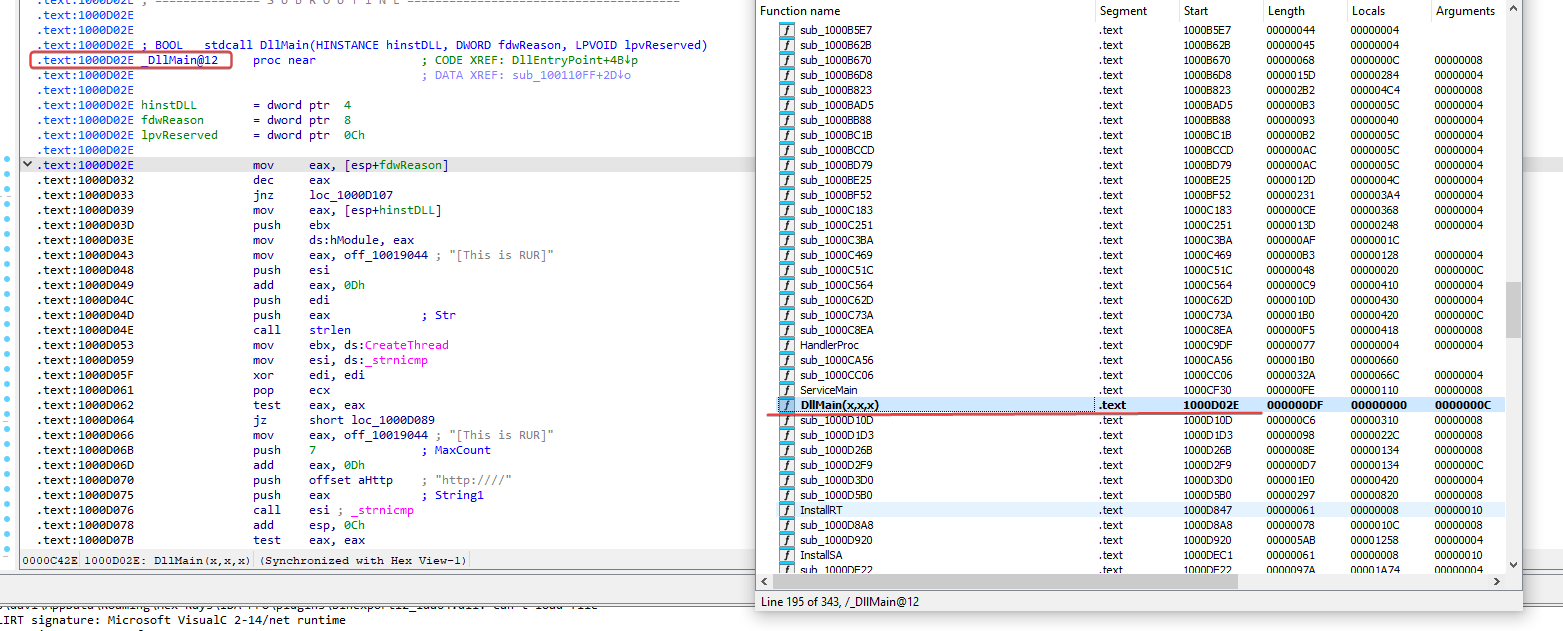
1000D02E
Question 2
1
Use the import window to navigate to gethostbyname. Where is the import located?
Searching for the imports, find gethostbyname and then locate the address.
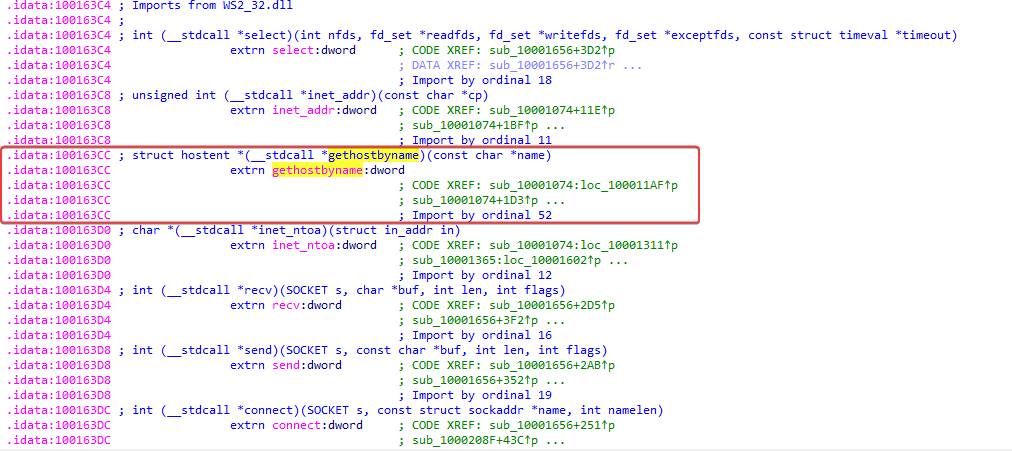
Imports
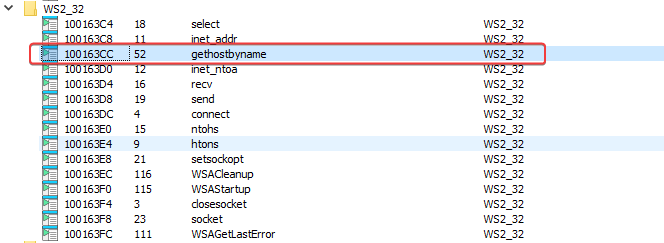
100163CC
Question 3
1
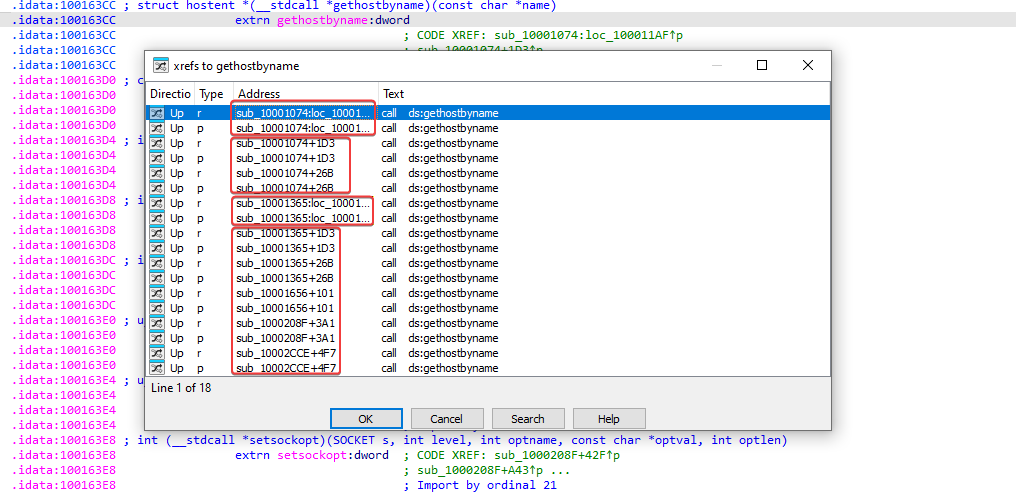
How many functions call gethostmyname?
Using the jump list cross-references to, we can view the subroutines/functions.
Question 4
1
Focusing on the call to gethostbyname at 0x10001757. Can you figure out which DNS request will be made?
After navigating to the provided address, looking above before the function call, it is possible to see that an address offset is being moved to EAX before 0Dh is added.
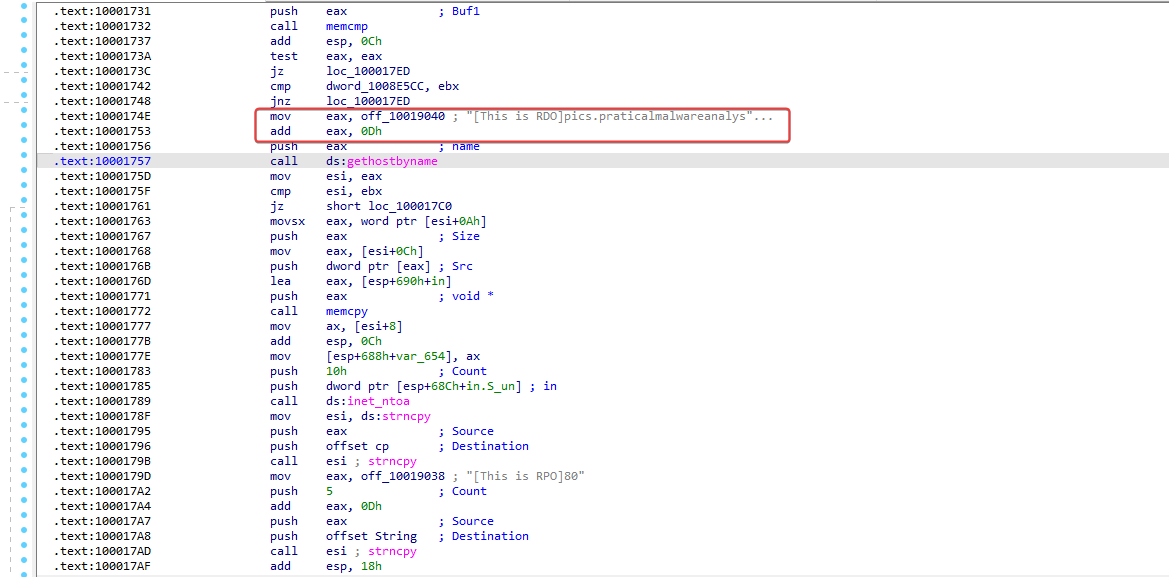
E possivel identificar que EAX agora aponta para 0x10019194, dentro dos dados contem: [This is RDO]pics.practicalmalwareanalysis.com
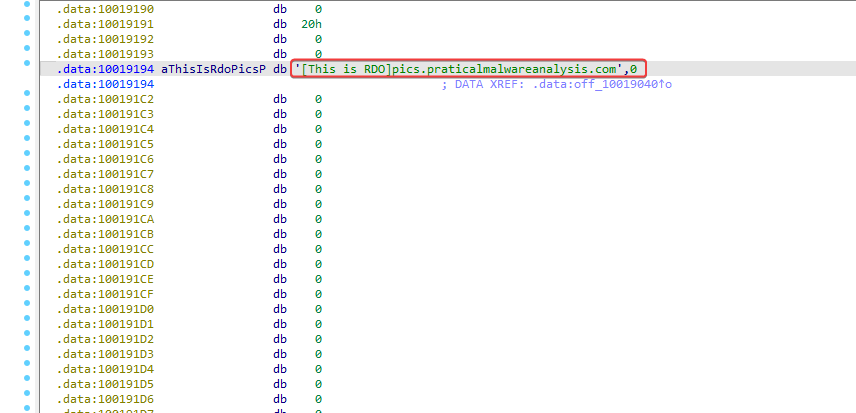
pics.practicalmalwareanalysis.com
Question 5
1
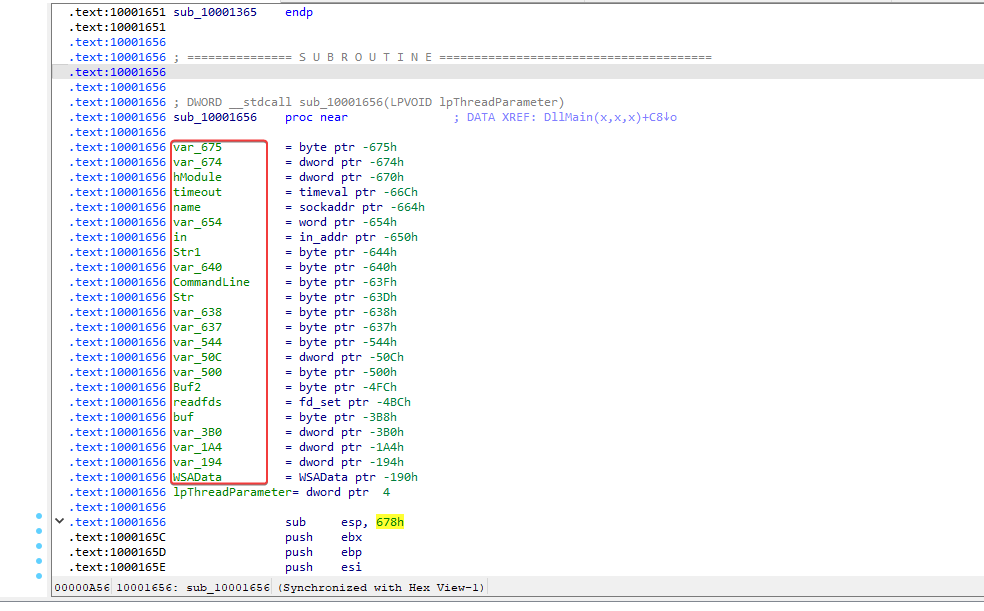
How many local variables did IDA recognize for the subroutine at 0x10001656?
Navigating to the address 0x10001656, IDA identified the following variables;
Question 6
1
How many parameters did IDA recognize for the subroutine at 0x10001656?
Looking at the last image provided above, it is possible to see that IpThreadParameter was identified, indicating that 1 parameter was expected in this subroutine.
Question 7
1
Use the strings window to locate the string \cmd.exe /c in the disassembly. Where is it located?
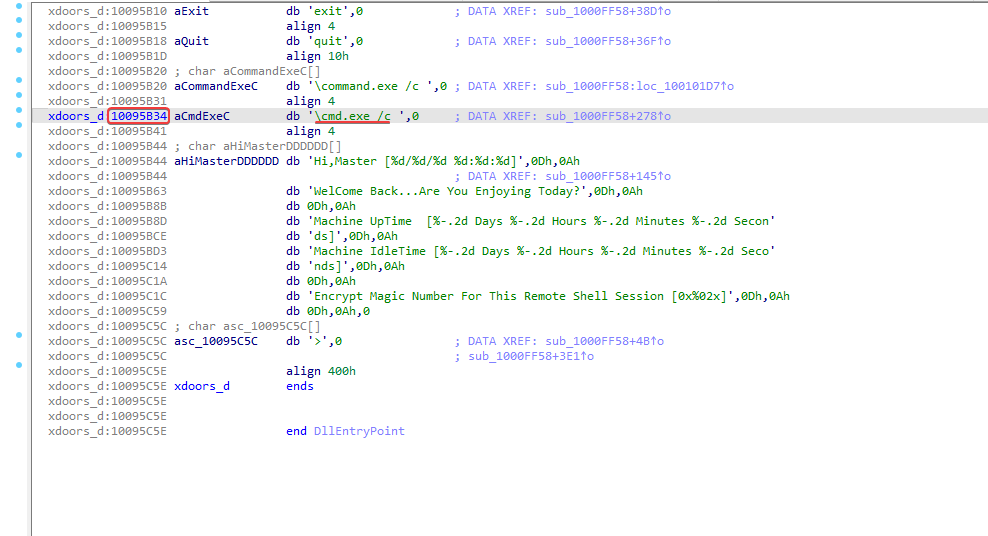
10095B34
Question 8
1
What's going on in the area of the code that references \cmd.exe /c?
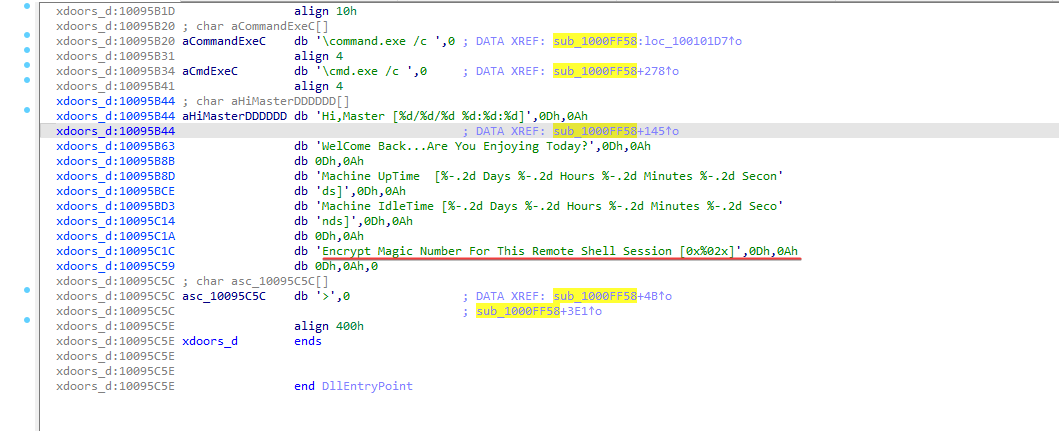
Analyzing the function, it is possible to identify a character array ‘HiMasterDDDDDD’ that mentions ‘Remote Shell Session’, which leads one to think that it might possibly be a remote shell session function.
Question 9
1
In the same area, at 0x100101C8, it looks like dword_1008E5C4 is a global variable that helps decide which path to take. How does the malware set dword_1008E5C4? (Hint: Use dword_1008E5C4’s cross-references.)
Navigating to the address 0x100101C8, it is possible to identify a comparison instruction, comparing ebx with the value dword_1008E5C4. As a hint for the question, when analyzing the cross-references of dword_1008E5C4, it is possible to see that one of them contains the mov instruction to assign the value.
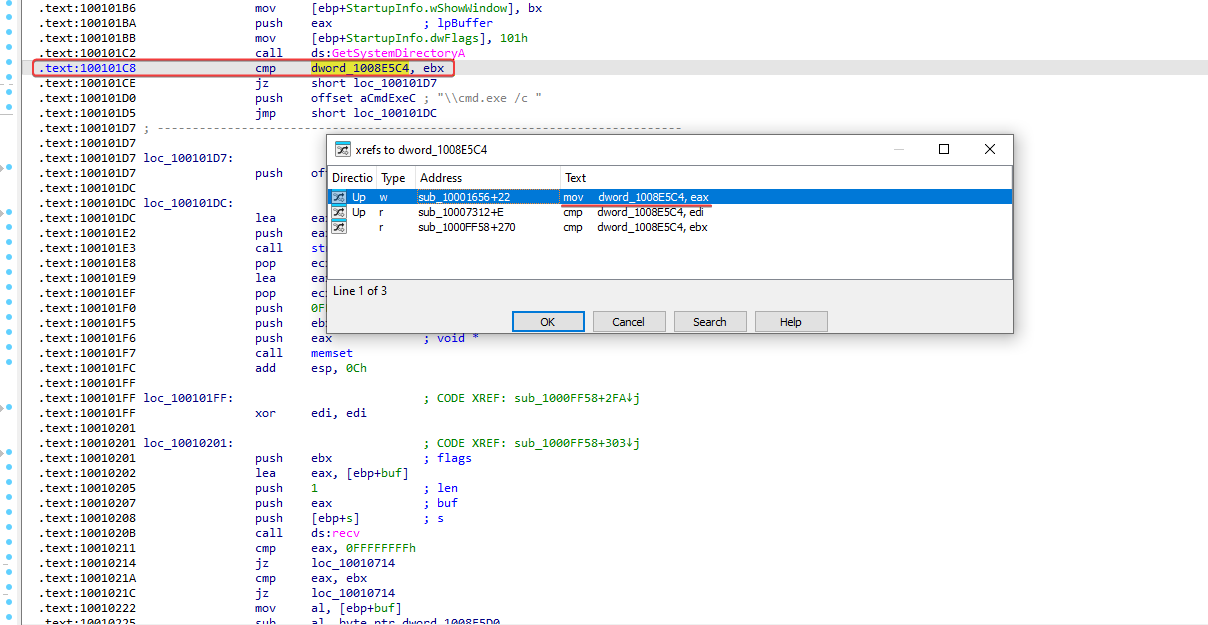 It is possible to see that the output of sub_10003695 will be moved to dword_1008E5C4.
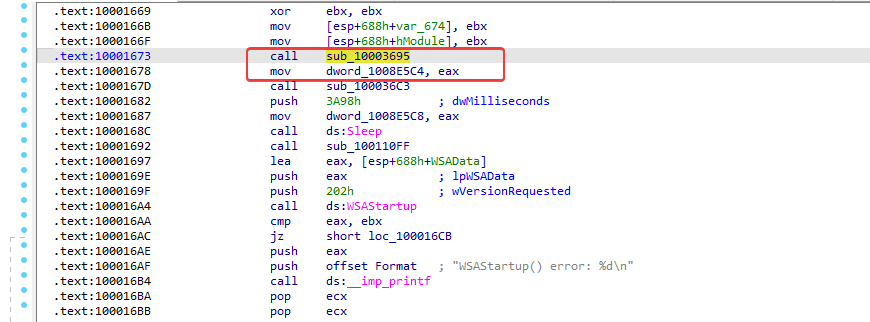 Let’s analyze what this routine is about. Upon analysis, it is possible to verify that it is comparing the platform ID dw with the value 2; -> this indicates that the operating system is Windows NT or later.
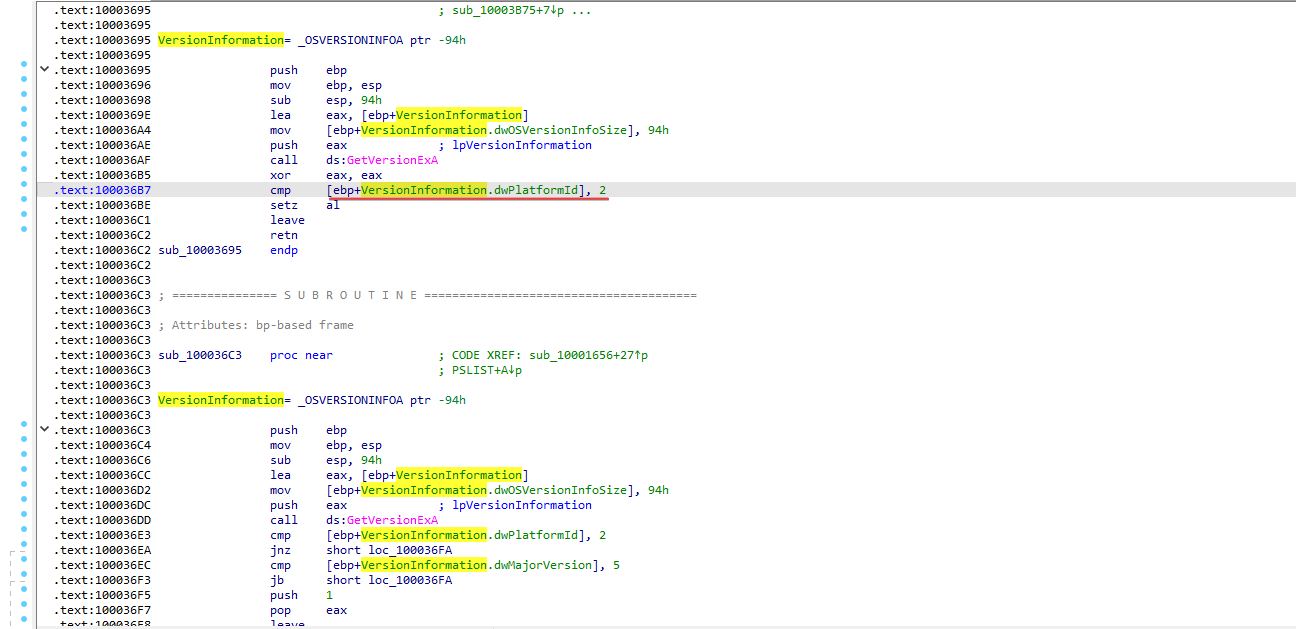
So, the malware will possibly follow a different path depending on whether the operating system is Windows NT or later.
Question 10
1
A few hundred lines into the subroutine at 0x1000FF58, a series of comparisons use memcmp to compare strings. What happens if the string comparison to robotwork is successful (when memcmp returns 0)
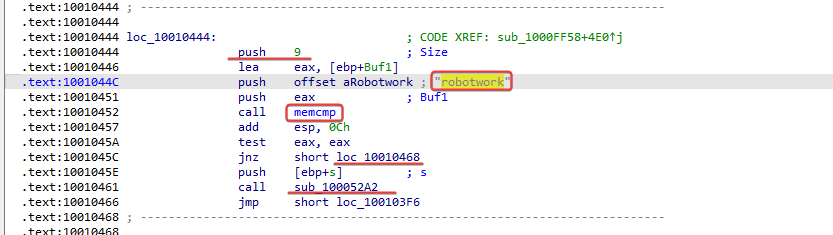
First, let’s navigate to the subroutine at 0x1000FF58 and look for the string comparisons that are being made. The buffer is comparing the string ‘robotword’ found, analyzing the code, it checks if a buffer contains exactly the string ‘robotwork’, if it does, it executes the function sub_100052A2 passing the value taken from the stack; if not, it jumps to the next flow, loc_10010468.
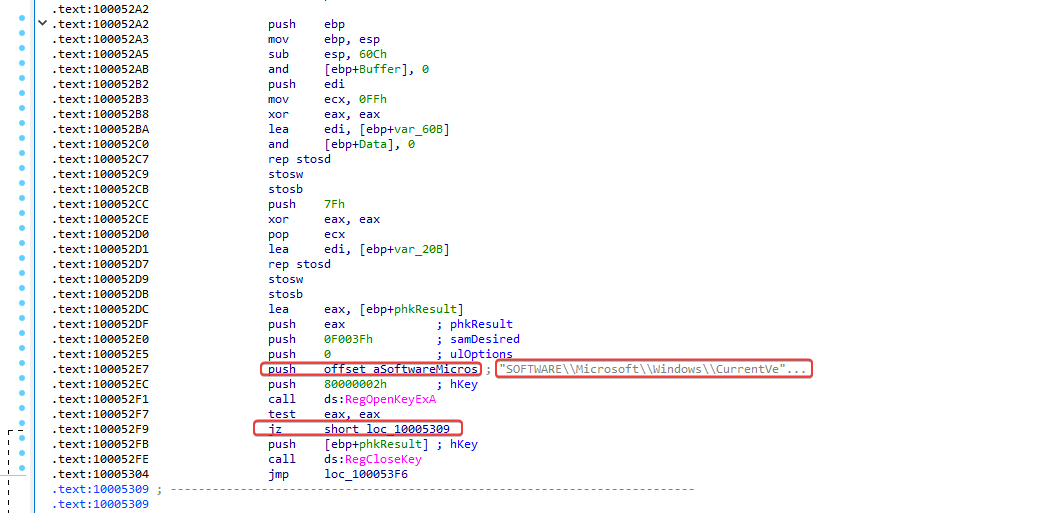
In sub_100052A2, we will see that it is opening a registry key at: HKLMSOFTWAREMicrosoftWindowsCurrentVersion. In jz, it checks whether the registry was opened successfully or not. If the registry is opened successfully, it will be = 0 and will proceed to loc_10005209.
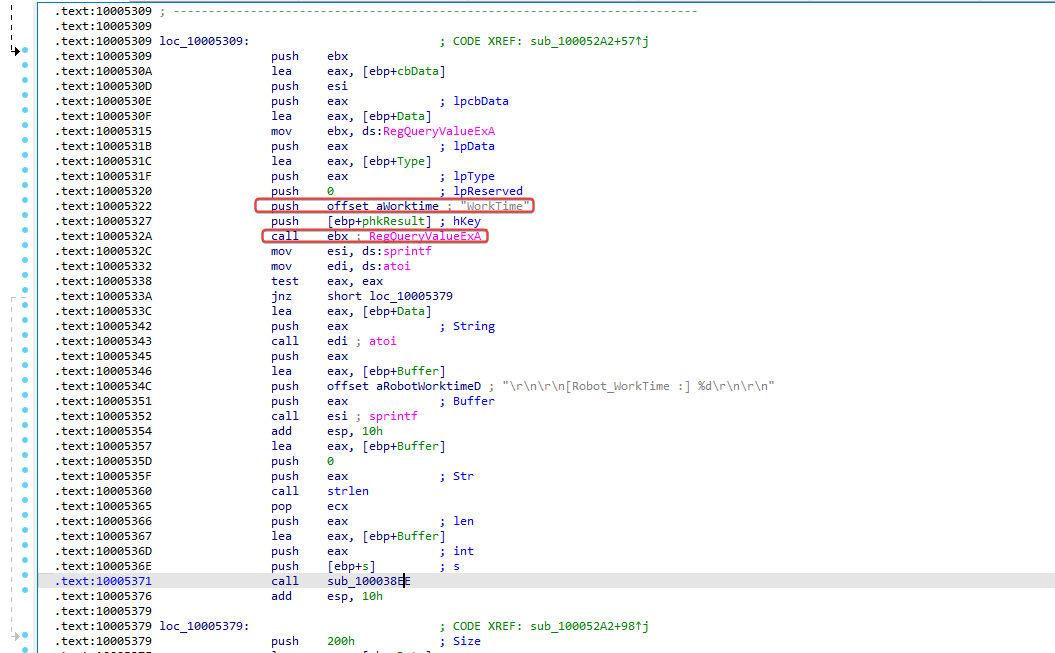
In loc_10005309 it is possible to see that it is querying the worktime registry key. In the previous code where the registry key was opened, it is possible to see that a type of argument called socket is being passed with the value s. Going back to the beginning of the question, we can see that this pushes ebp+s, which indicates that this information is sent back through the passed network socket.
Question 11
1
What does the PSLIST export command do?
After analysis, it is possible to identify that we will have two different paths that will be followed according to the result of sub_100036C3. So let’s dive deeper.
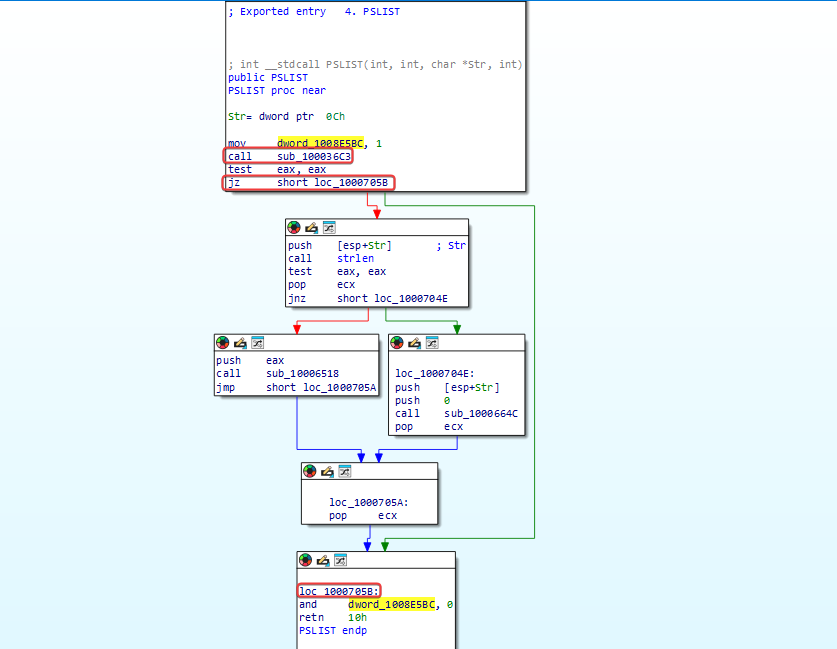
In subroutine 100036C3, it uses the Windows APIs: GetVersionExA and OSVERSIONINFOA, clearly used to detect the Windows version and return 1 or 0 depending on whether the system meets a specific condition.
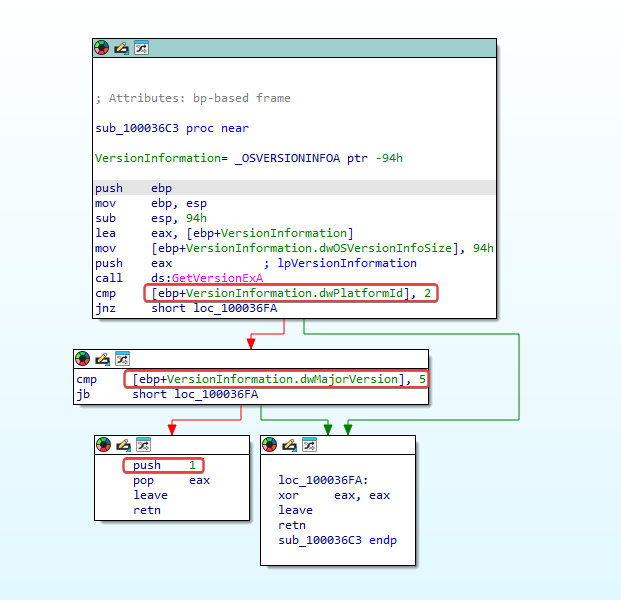
Points to analyze: sub_10006518 and sub_1000664C, the two different paths that will be followed according to the result of the operating system version check.
sub_10006518: with analysis on the API call to CreateToolhelp32Snapshot, from the strings, it will probably allow them to access processes.
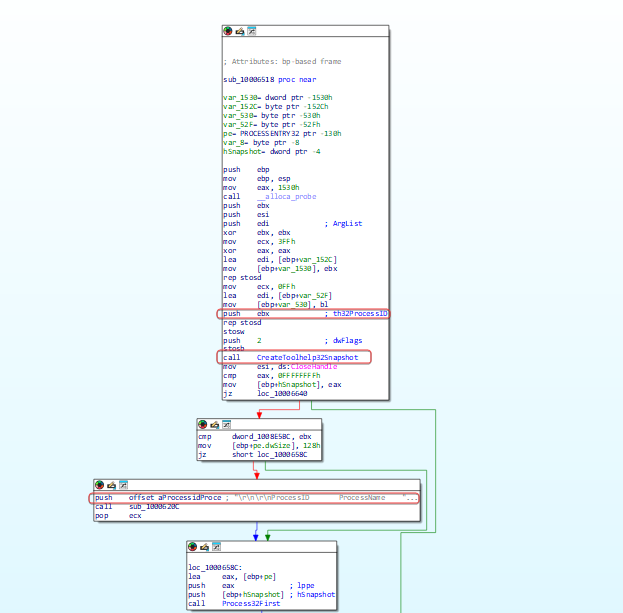
sub_1000664C makes use of the same calls.
Question 12
1
Use the graphical mode to graphically represent the cross-references of sub_100004E79. Which API functions could be called when inserting this function? Considering only the API functions, what alternative name would you give to this function?
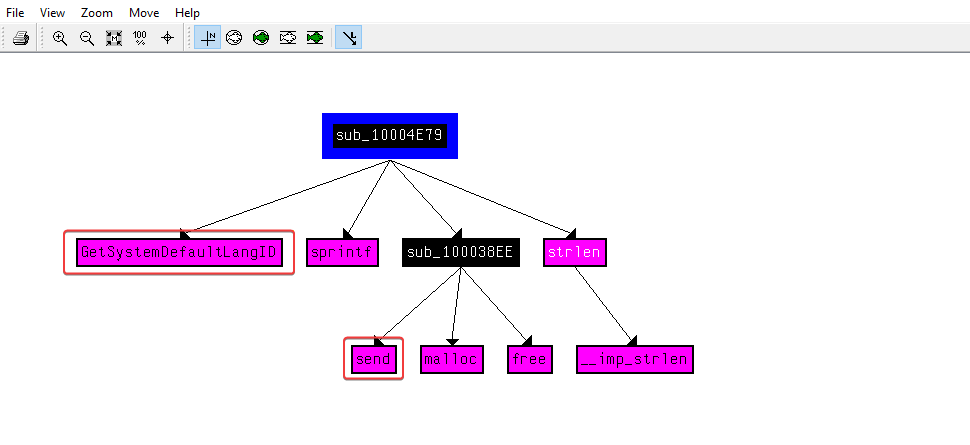
When viewing it, it is possible to notice that GetSystemDefaultLangID is used, which is used to return the language identifier. The send function is also used, probably to send information about the system language. We can name it LanguageIdentify.
Question 13
1
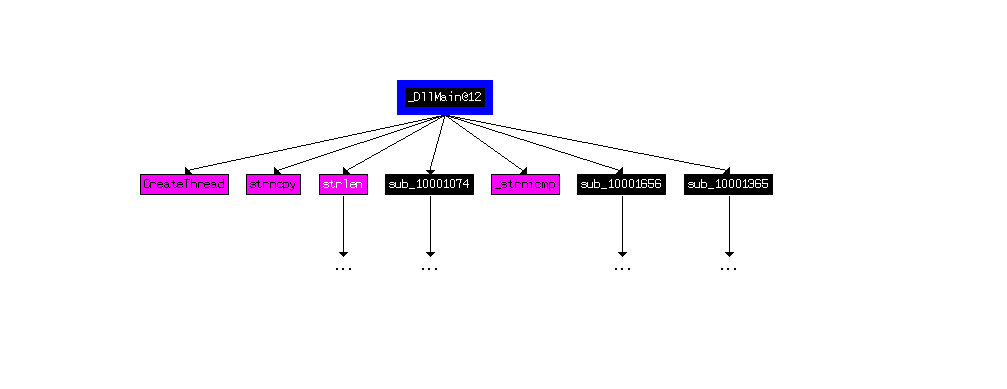
How many Windows API functions does DllMain call directly? How many at a depth of 2?
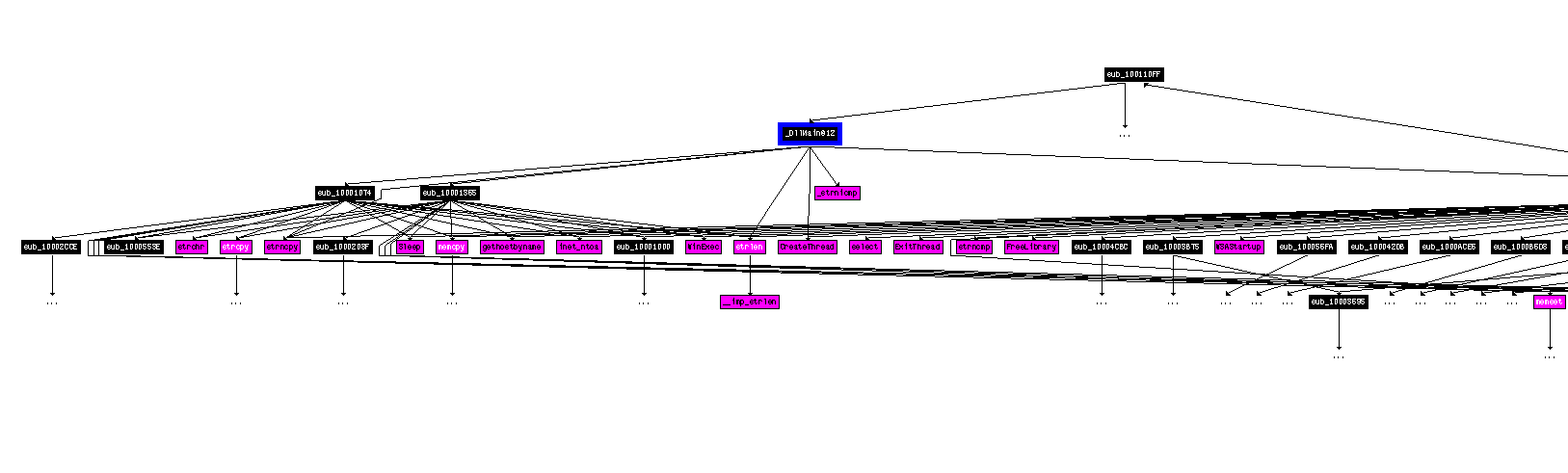
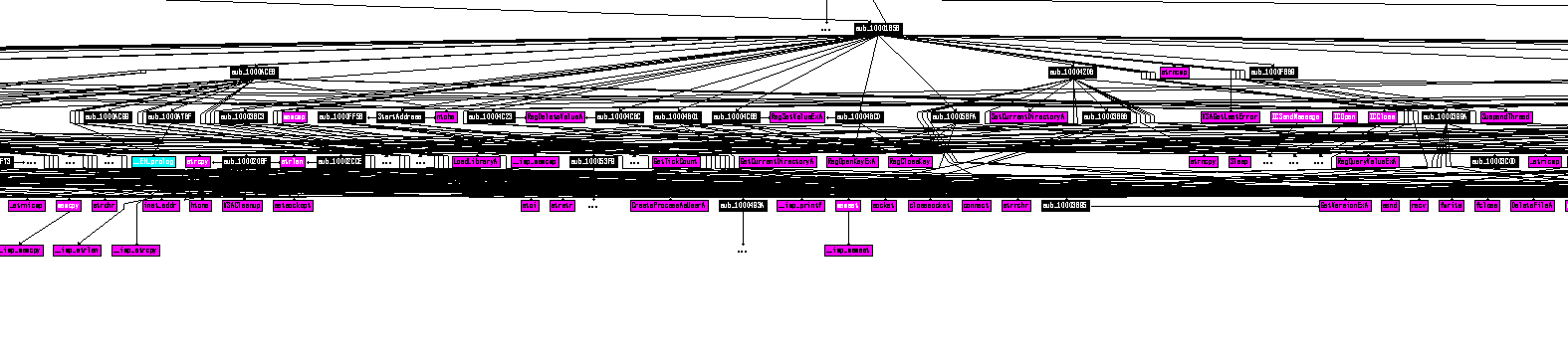
Question 14
1
At address 0x10001358, there is a call to Sleep (an API function that takes a parameter containing a number of milliseconds to wait). Analyzing the code backwards, how long will the program wait if this code is executed?
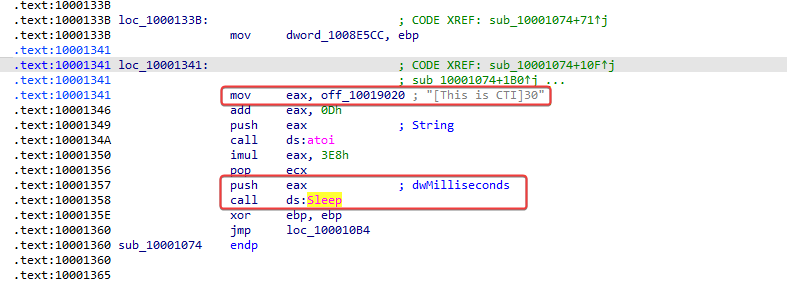
Let’s analyze the pseudocode now,
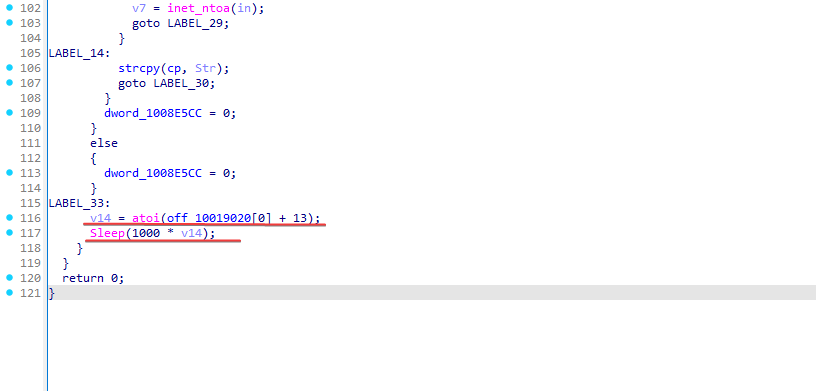
It is possible to notice that Sleep is set with the value: “1000 (1 second) * v14”, but what would this v14 value be? Let’s take a closer look:
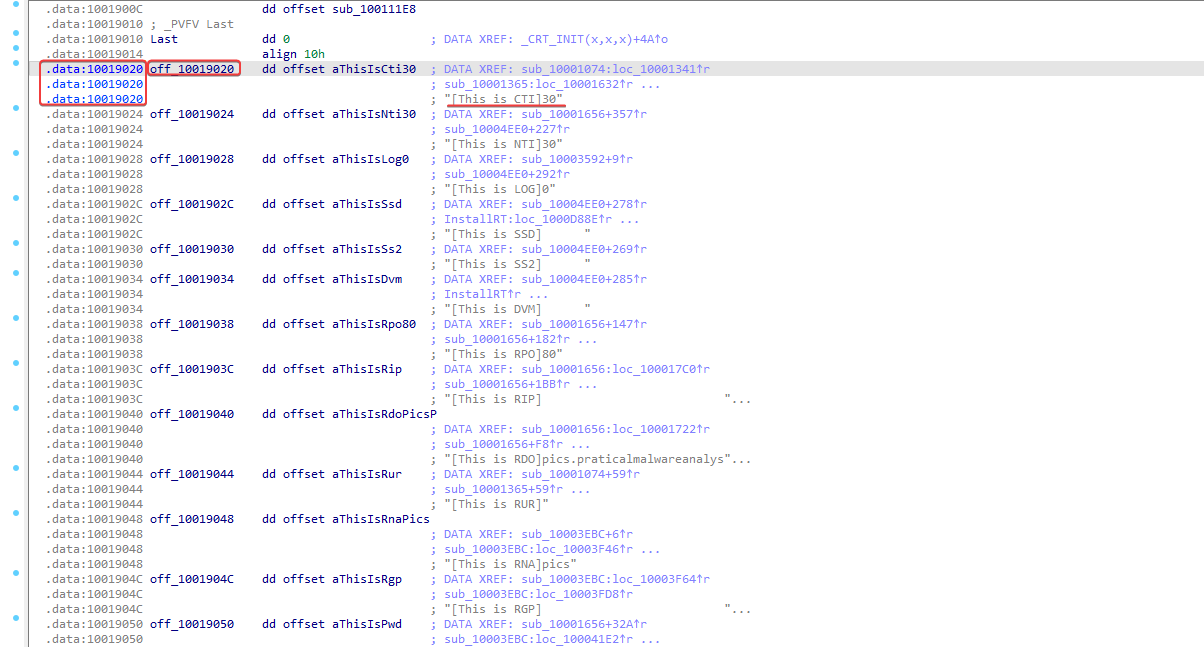
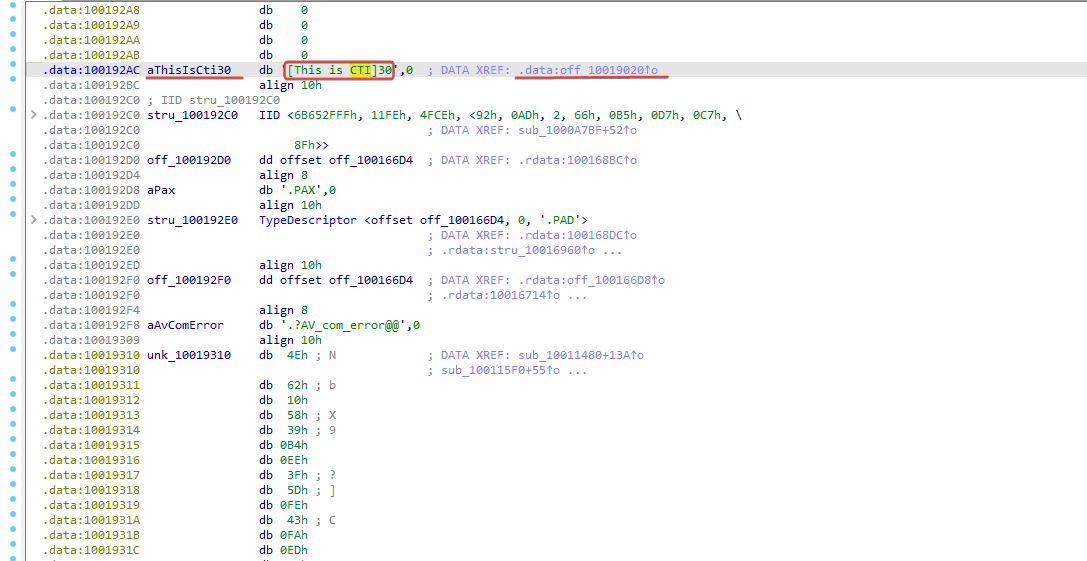
Sleep(1000 * 30) = 30 seconds
Question 15
1
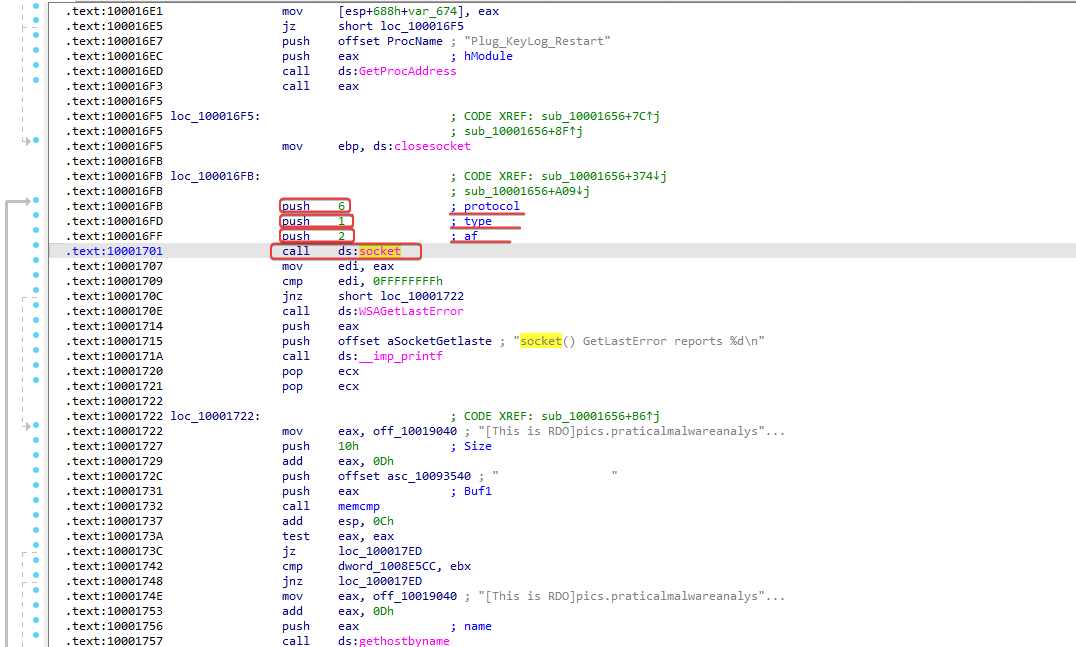
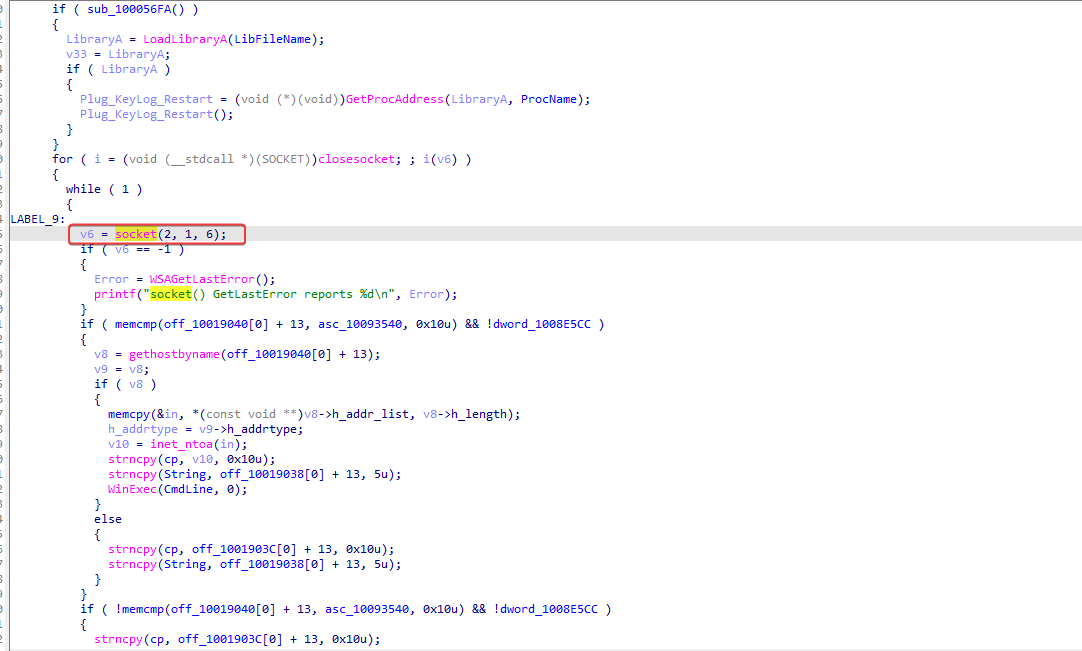
At address 0x10001701 there is a call to a socket. What are the three parameters?
Question 16
1
Using the MSDN page on sockets and the functionality of named symbolic constants in IDA Pro, can you make the parameters more meaningful? What are the parameters after applying the changes?
Let’s go to the MSDN page to get more information about this function.
1
2
3
4
5
SOCKET WSAAPI socket(
  [in] int af,
  [in] int type,
  [in] int protocol
);
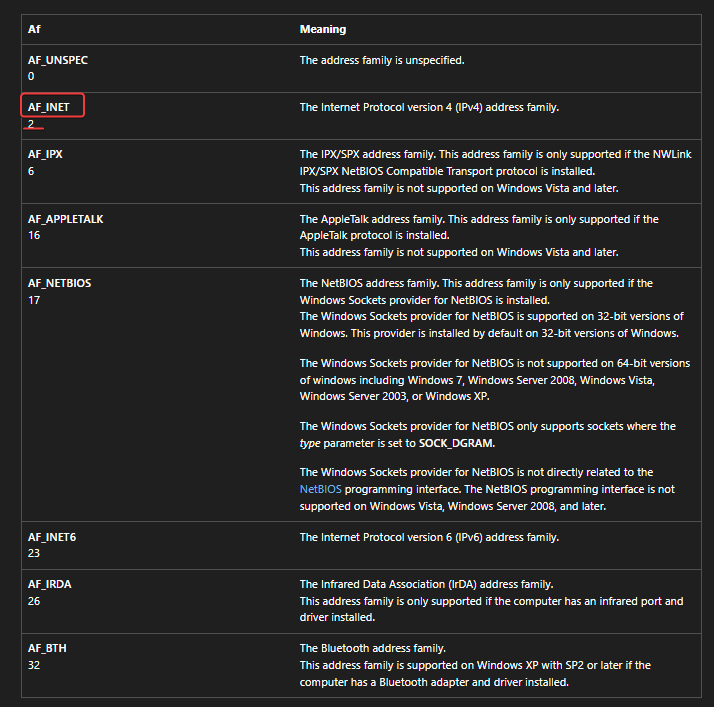
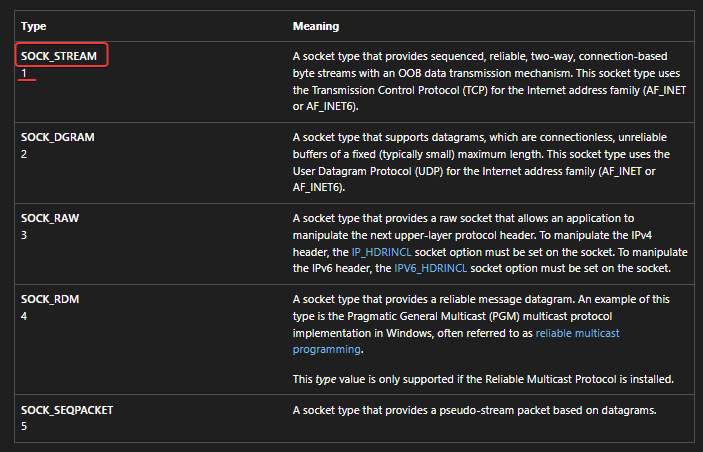
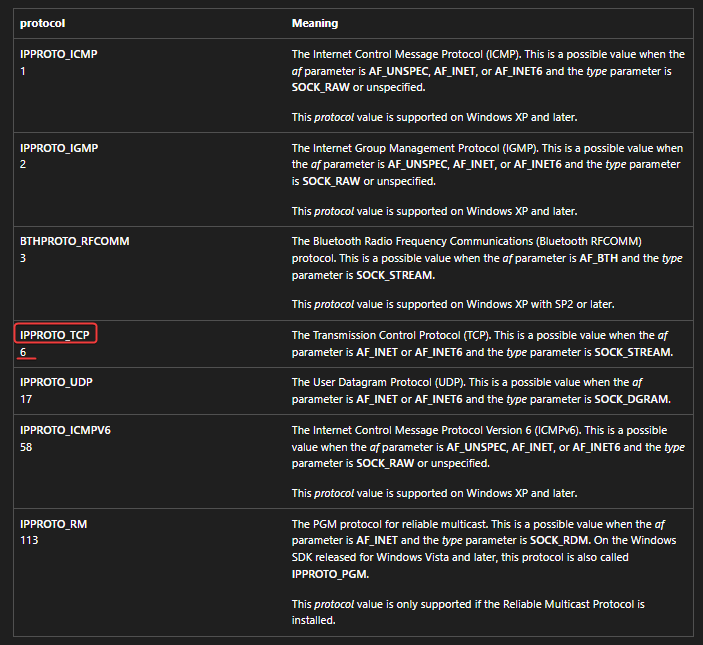
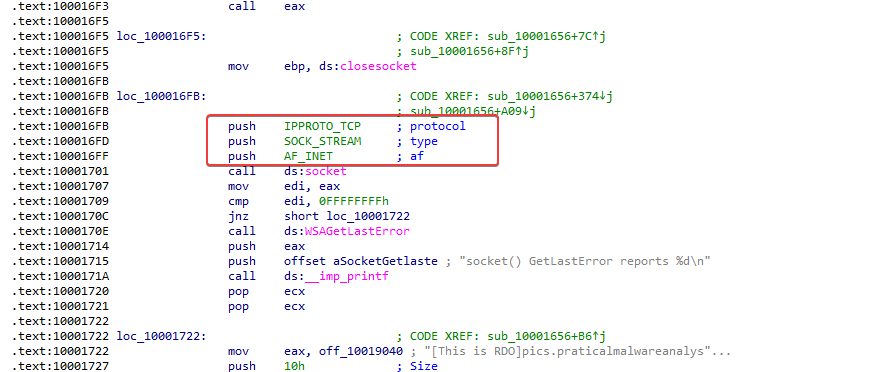
Question 17
1
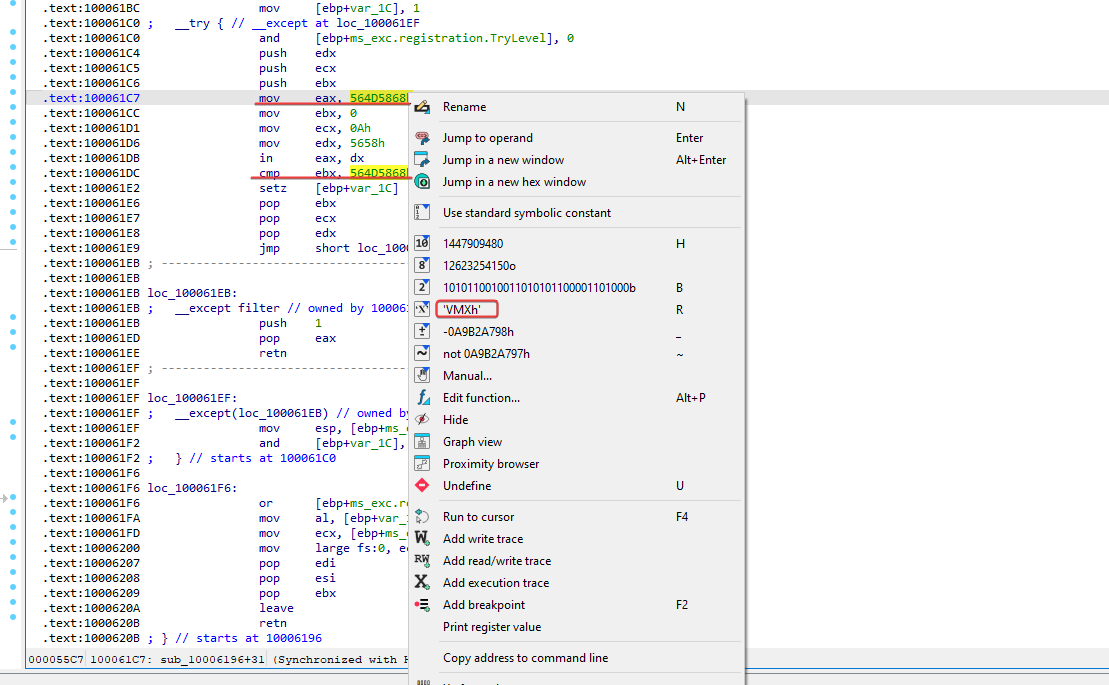
Search for usage of the in instruction (opcode 0xED). This instruction is used with a magic string VMXh to perform VMware detection. Is that in use in this malware? Using the cross-references to the function that executes the in instruction, is there further evidence of VMware detection?
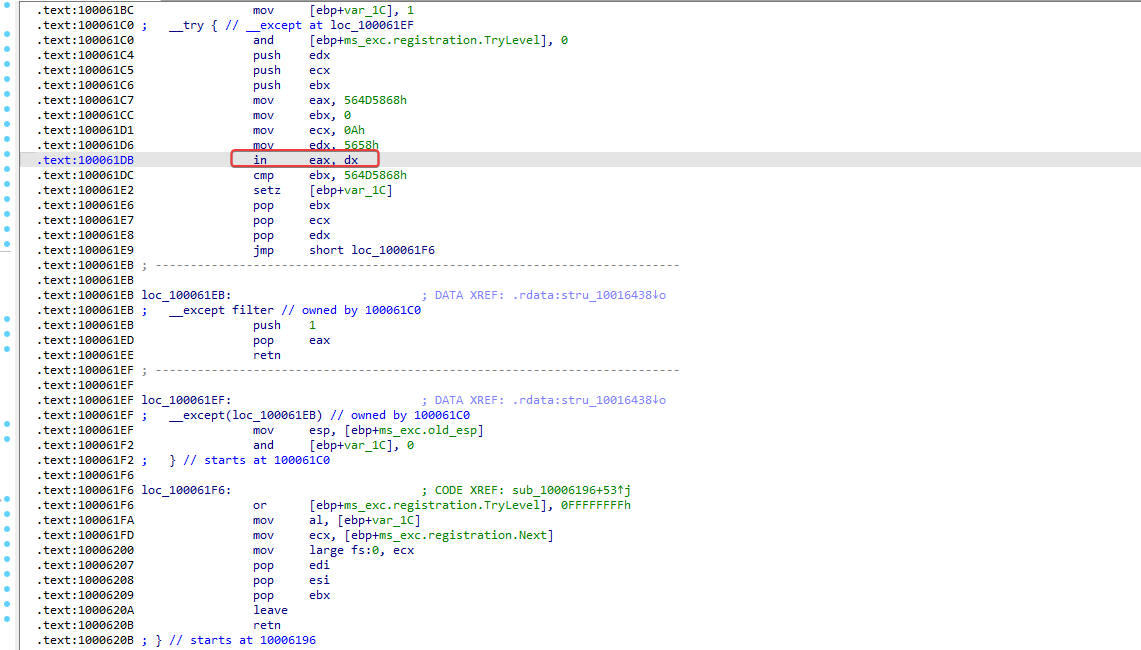
Analyzing this function, it is possible to identify that it checks the VMXh value, which is an anti-VM technique.
Function Xrefs:
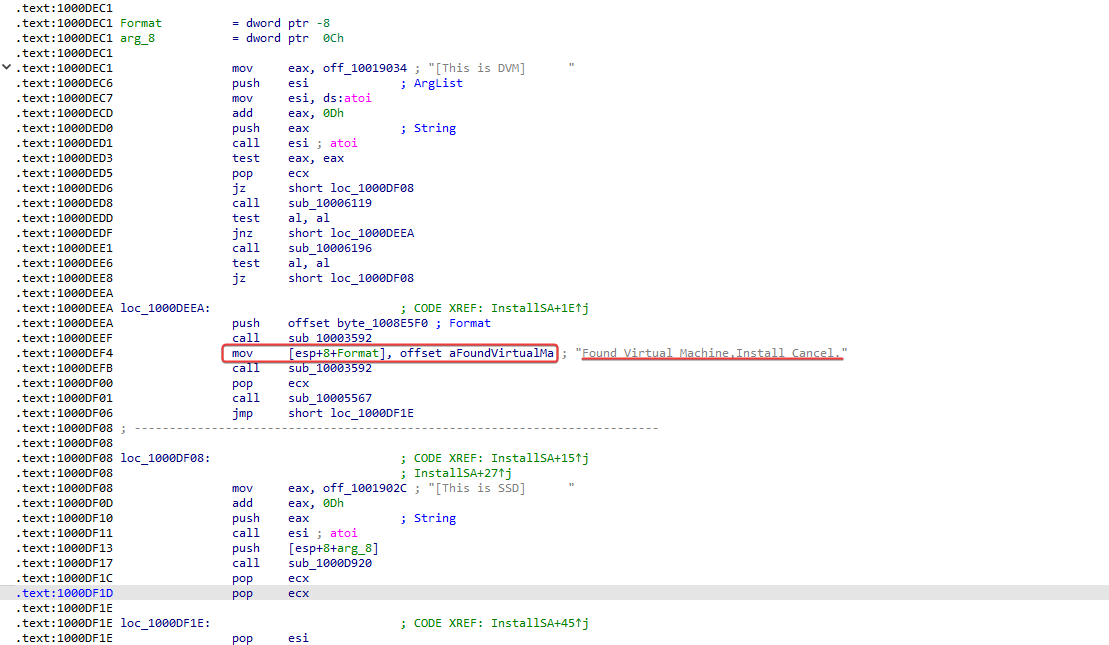
In one of the references, it is possible to see that it performs a VM check, and if one is found, it cancels the installation.
Question 18
1
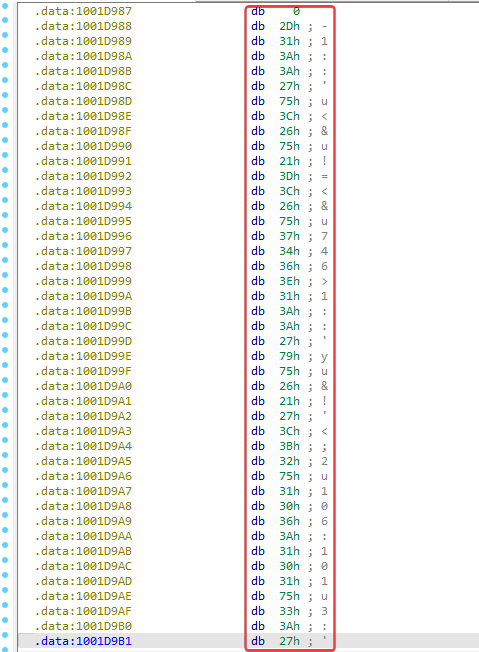
Move the cursor to 0x1001D988. What do you find?
Apparently, random data.
Question 19
1
If you have the IDA Python plug-in installed (including the package with the commercial version of IDA PRO), run Lab05-01.py, a Python script in IDA Pro provided with the malware from this book. (Make sure the cursor is at 0x1001D998). What happened after running the script?
At the moment, I am using the free version of IDA Pro.
Completed.