[PMA] Chapter 12 - Covert Malware Launching

In this post, I continue my studies of the book “Practical Malware Analysis” and begin working on Lab 12. The goal is to apply practical static and dynamic analysis techniques to understand the behavior of real samples, reinforcing fundamental concepts used in malware analysis environments. This content is part of my study routine and documentation of the learning steps.
LAB 12-01.exe
1
Lab12_01.exe and Lab12_01.dll
Question 1
1
What happens when you run the malware executable file?
Before executing the malware, decide to analyze its imports.
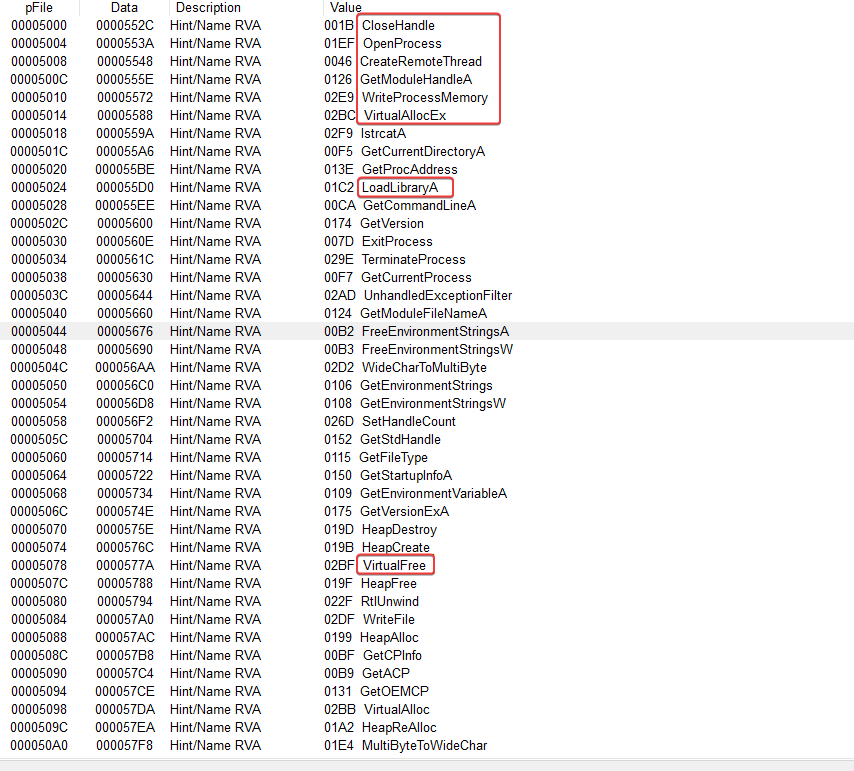
With the imports above, we can say that the binary performs some kind of device process injection using some API calls.
- WriteProcessMemory
- CreateRemoteThread
- VirtualAllocEx
- LoadLibraryA
- VirtualFree
In the imports of USER32.dll, it uses the API call MessageBoxA. When we run the binary, we can see a pop-up.
Question 2
1
Which process is being injected?
For better identification, I will analyze it in IDA.
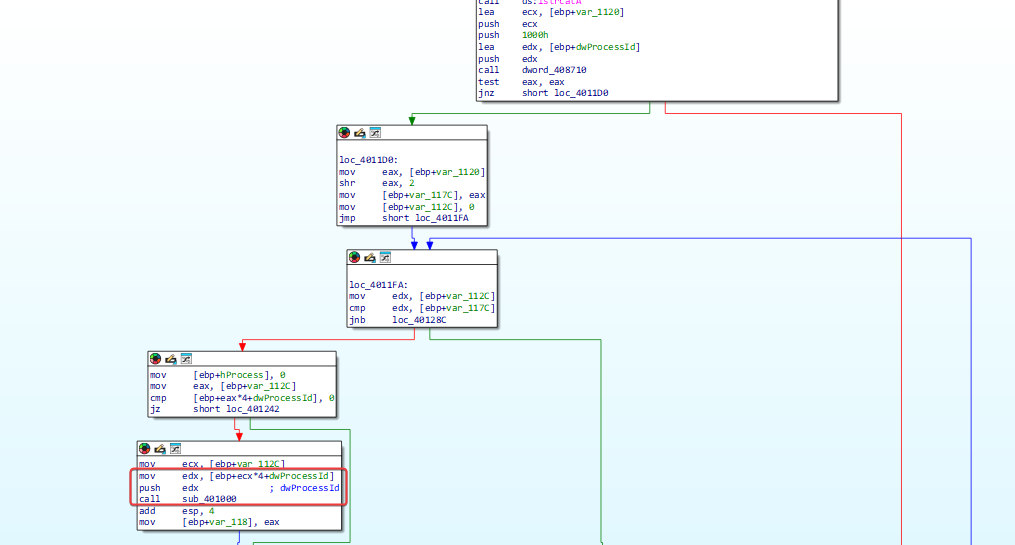
There are some checks and operations before calling sub_401000 with a relevant processId. Let’s see what sub_401000 does.
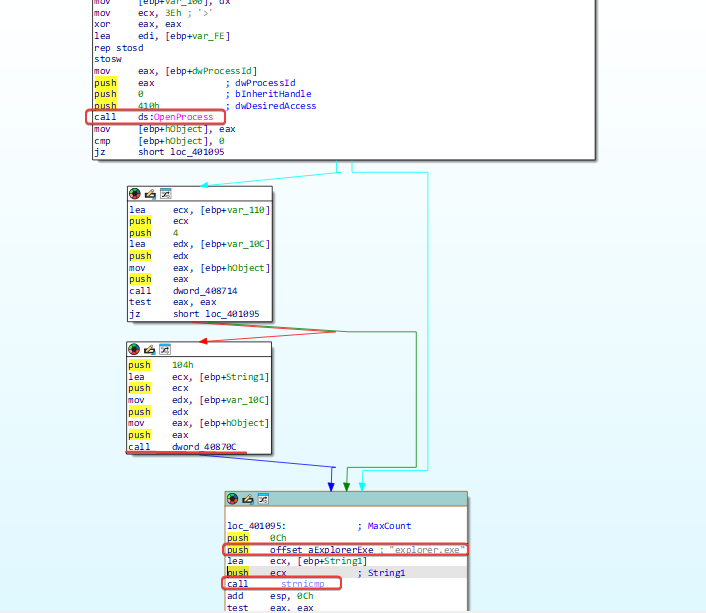
It is possible to notice that there is a process check being done based on the processID, and it is comparing the output of ‘GetModuleBaseNameA’. More specifically, it translates the processID to the process name from dword_40870C, and compares it with the string ‘explore.exe’.
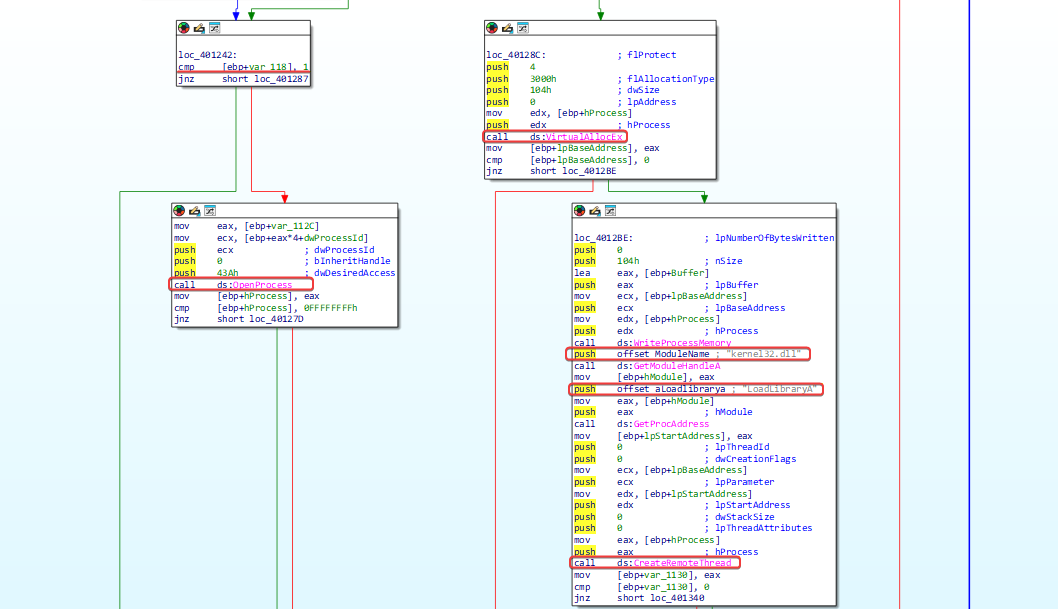
If the comparison is successful, the process function will return 1, then it will open a target for the process and start allocating memory that will be used by LoadLibrary to load the DLL.
Question 3
1
How to make the malware stop the pop-ups?
The easiest way is to stop the explorer.exe process using the PowerShell command:
1
Stop-Process -ProcessName explorer
Question 4
1
How does this malware operate?
As we have already seen the process to be injected, let’s analyze the DLL code in IDA.
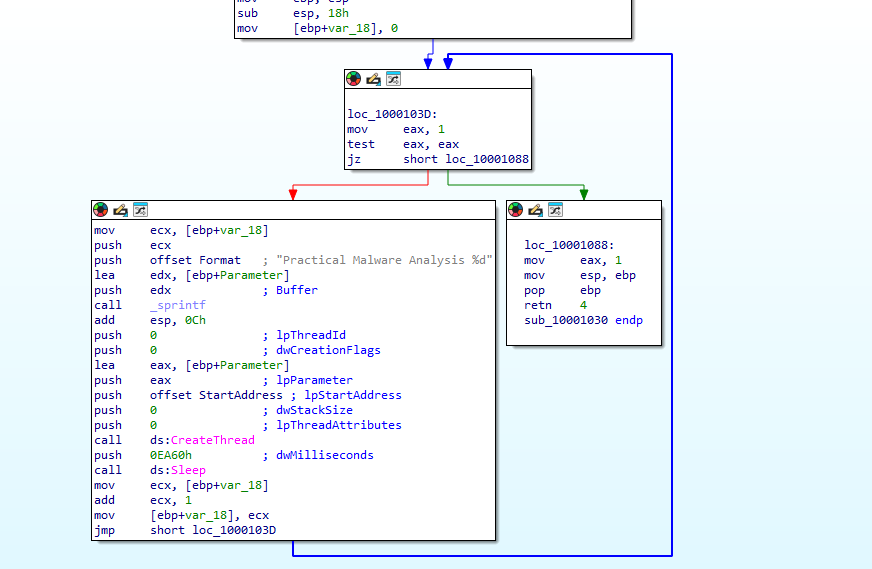
The analysis is simple. The code runs a loop in which the variable var_18 is incremented with each repetition. Before each execution, there is a pause of 60,000 milliseconds (60 seconds).
As a result, every 60 seconds a new thread is created within the explorer.exe process, which displays a message box. The message contains the text “Practical Malware Analysis %d”, where %d is replaced by the value of var_18, indicating how many minutes have passed since the injection into explorer.exe.
LAB 12-02.exe
Question 1
1
What is the purpose of this program?
Based on the program’s imports, we noticed that it is performing memory manipulation in a process.
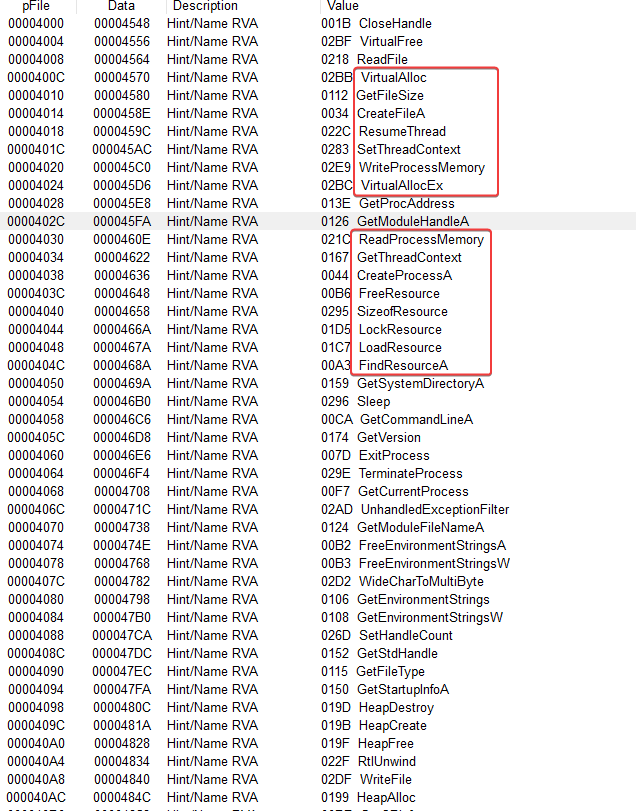
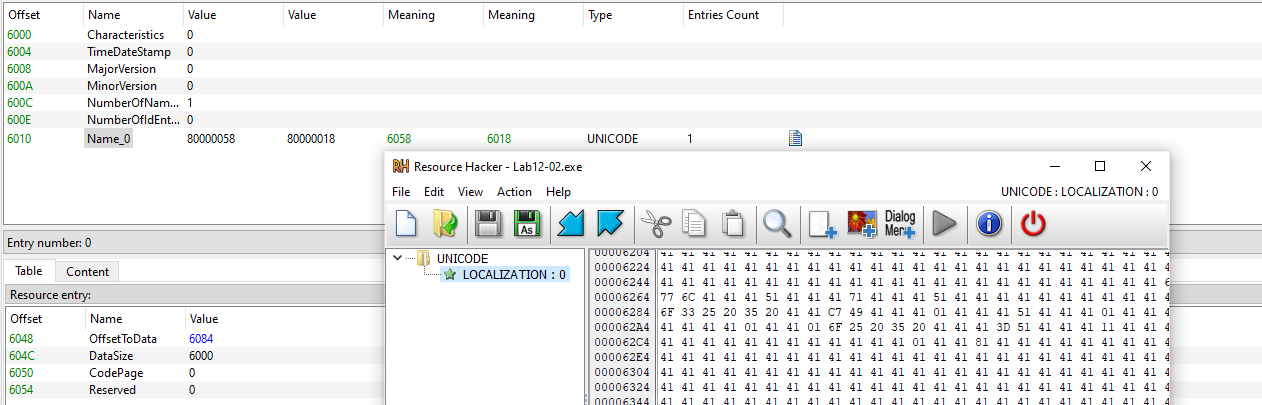
With this, we can start thinking that this could be used to execute embedded code in the resources. It is possible to notice an unusual resource ‘name_0’.